efficiency-nodes-ED


[[한국어]](https://github.com/NyaamZ/efficiency-nodes-ED/blob/main/README_KR.md)
✨🍬An extension pack that adds functionality to Efficiency Nodes, enhancing the user experience. The original version can be found at: https://github.com/jags111/efficiency-nodes-comfyui 🍬
Efficiency Nodes 💬ExtendeD (V8)
=======
Workflow Examples:
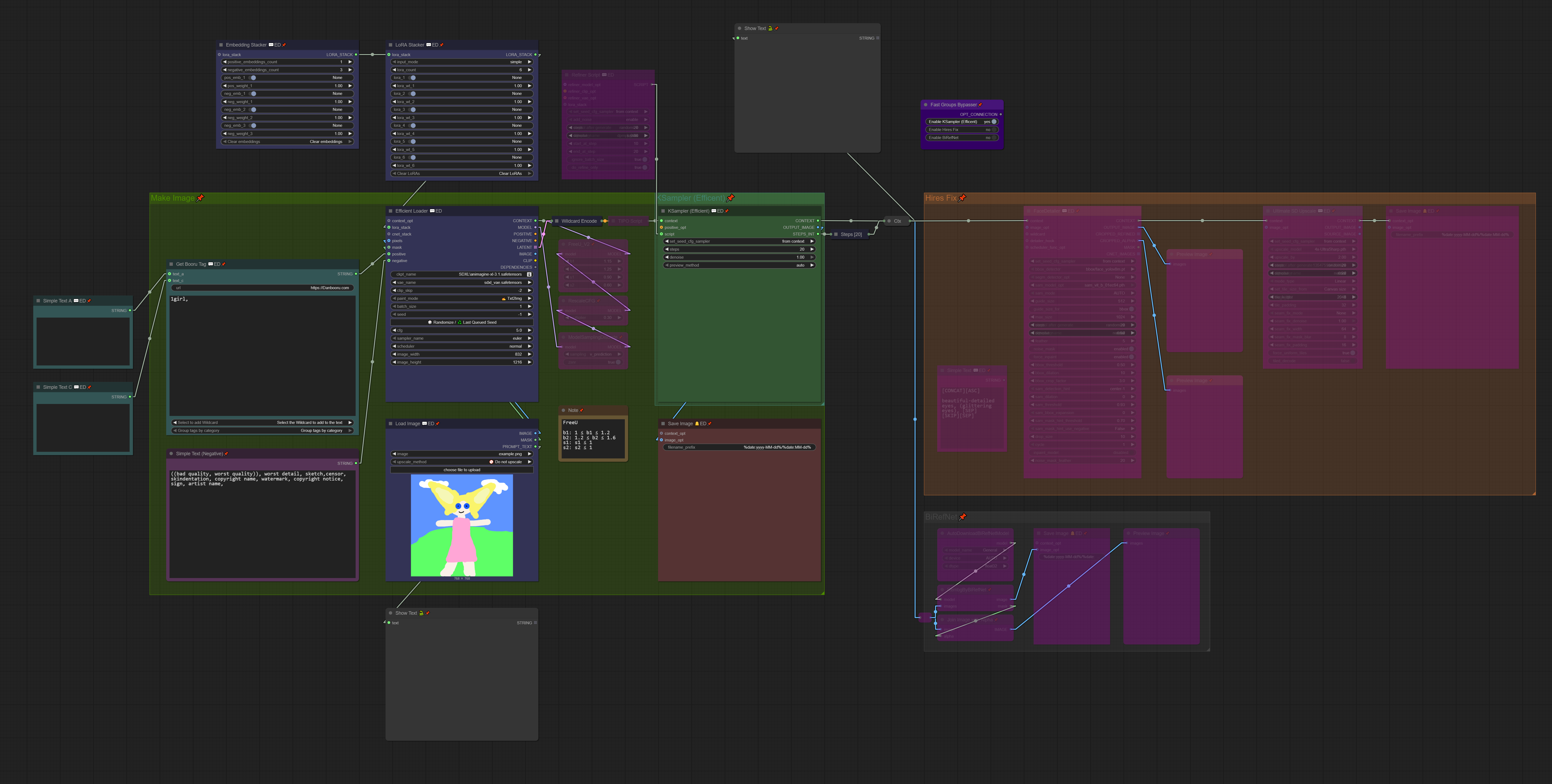
(EXIF included)
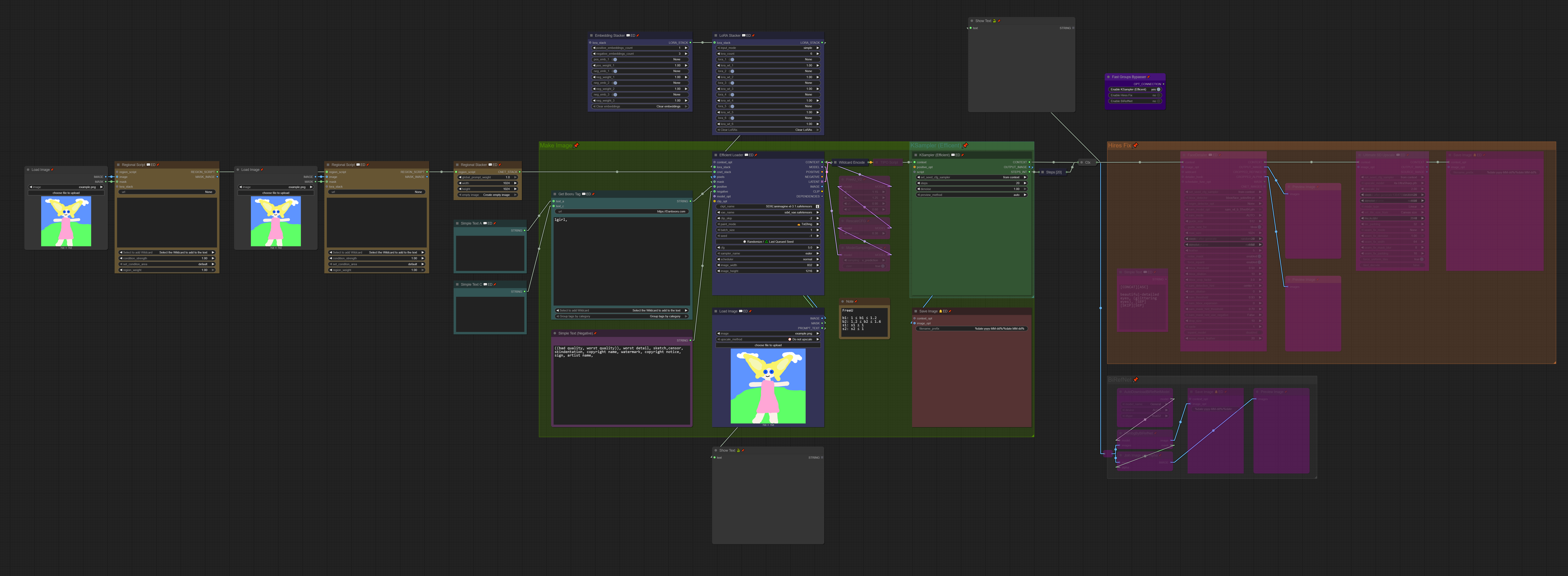
(EXIF included)
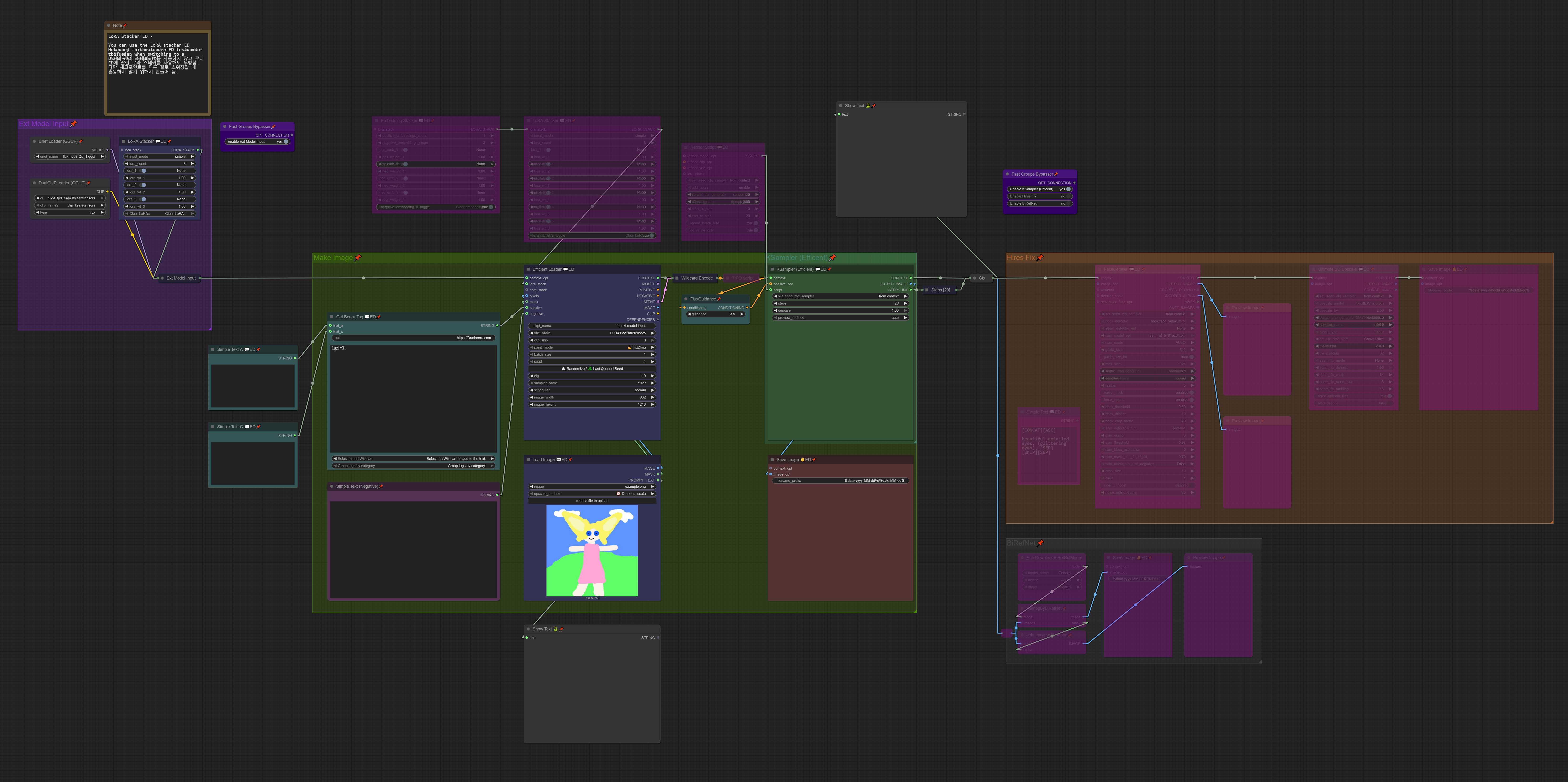
(EXIF included)
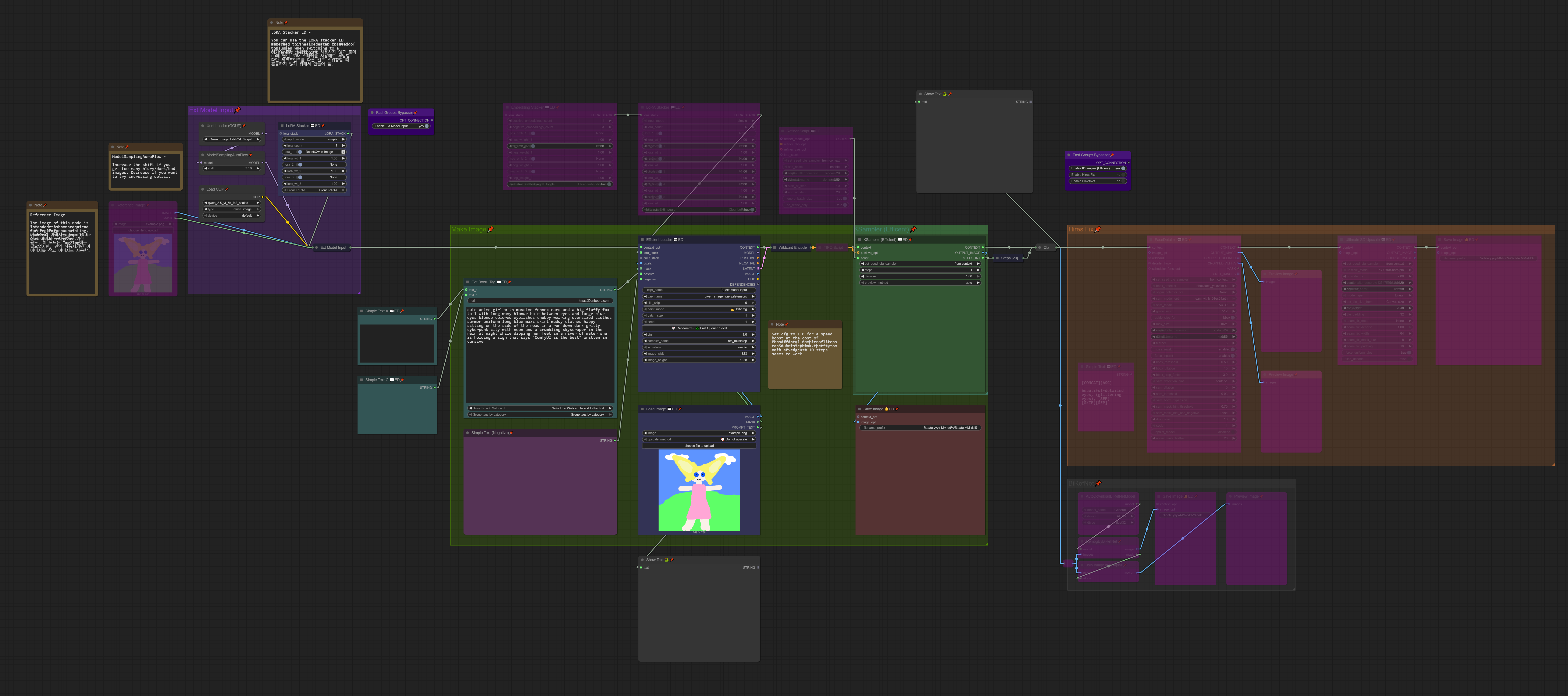
(EXIF included)
Basic Overview:
Unlike the original Efficiency Nodes, 💬ED Nodes exchange the context link.
Think of the context link as a bundle combining multiple links like model, clip, vae, conditioning, etc.
context link simplifies it:
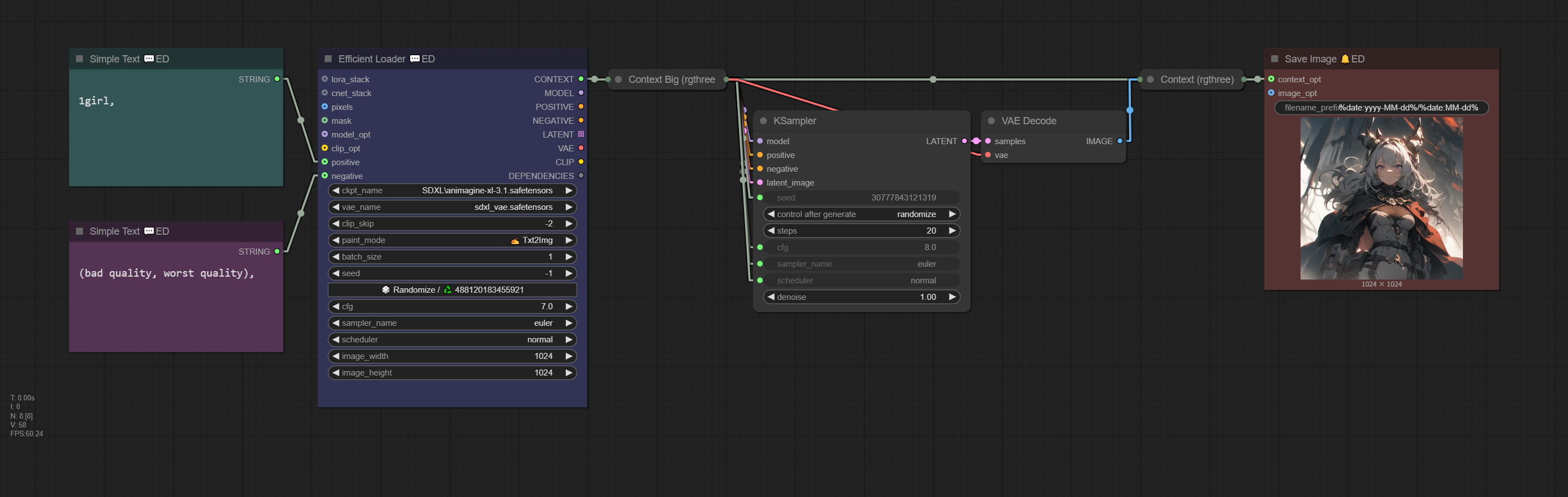
(EXIF included)
context link output by Efficient Loader 💬ED includes the following: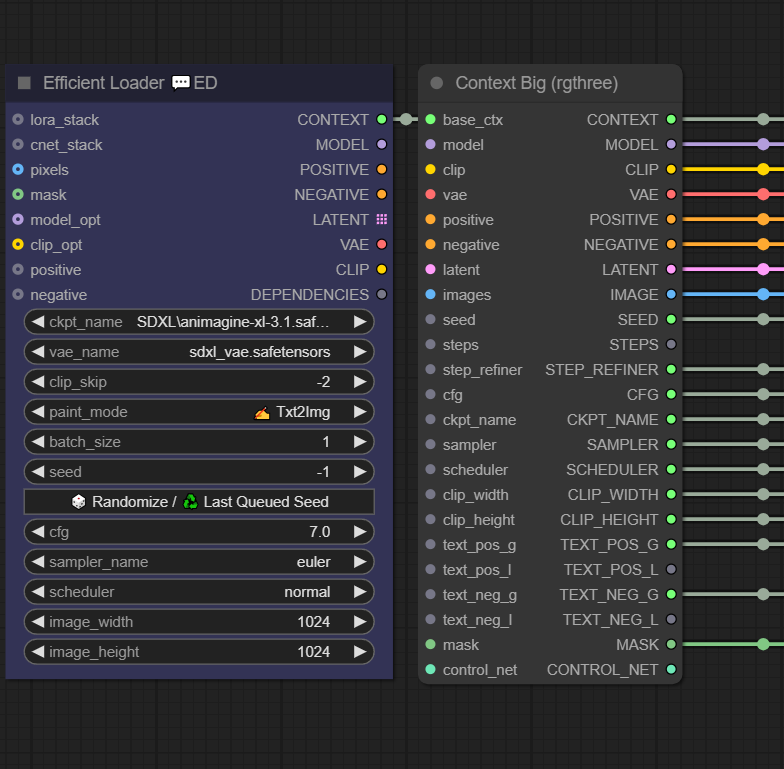 |
context | |
|---|---|---|
| model | ||
| clip | ||
| vae | ||
| positive | conditioning | |
| negative | conditioning | |
| latent | ||
| image | ||
| seed | ||
| step_refiner | Instead contains batch_size | |
| cfg | ||
| ckpt_name | ||
| clip_width | image width | |
| clip_height | image height | |
| text_pos_g | positive prompt | |
| text_neg_g | negative prompt | |
| mask |
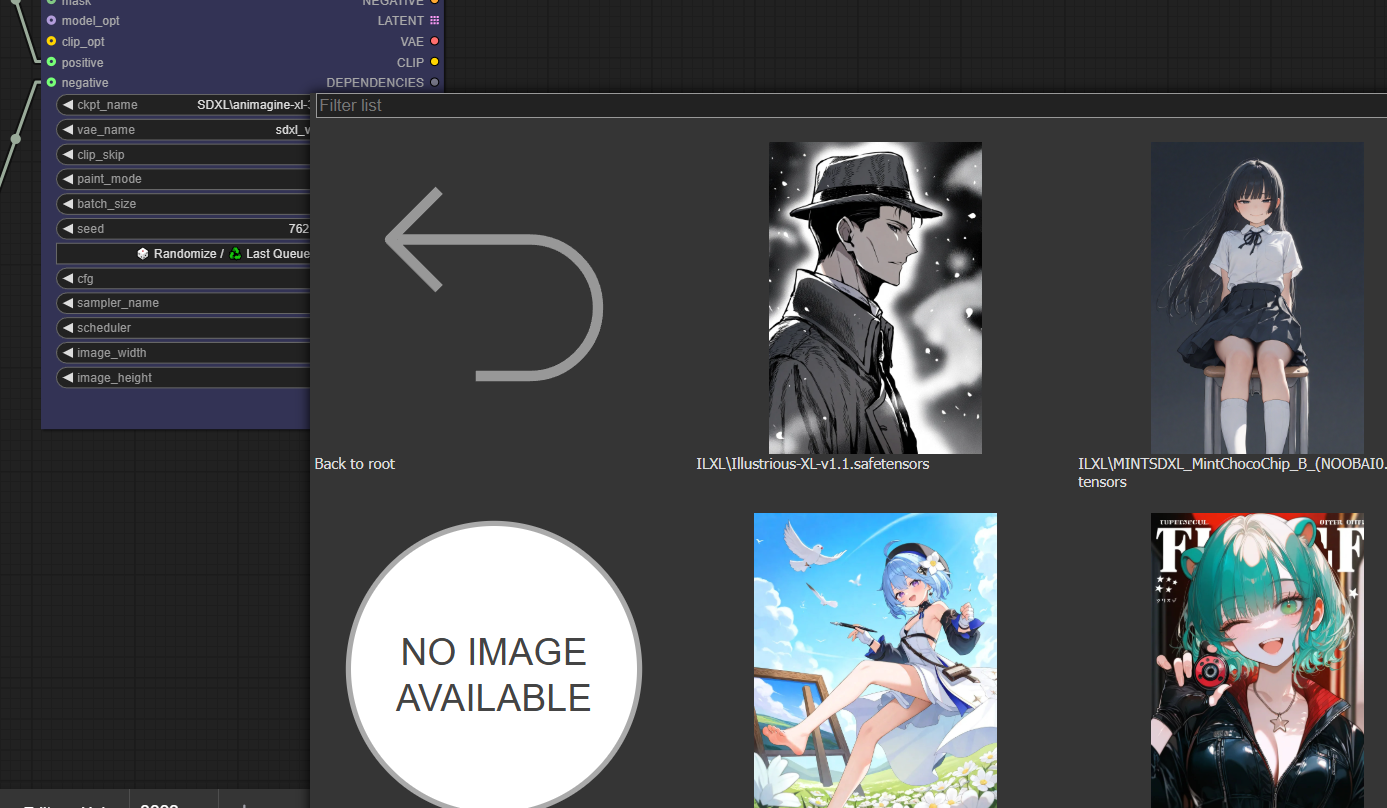
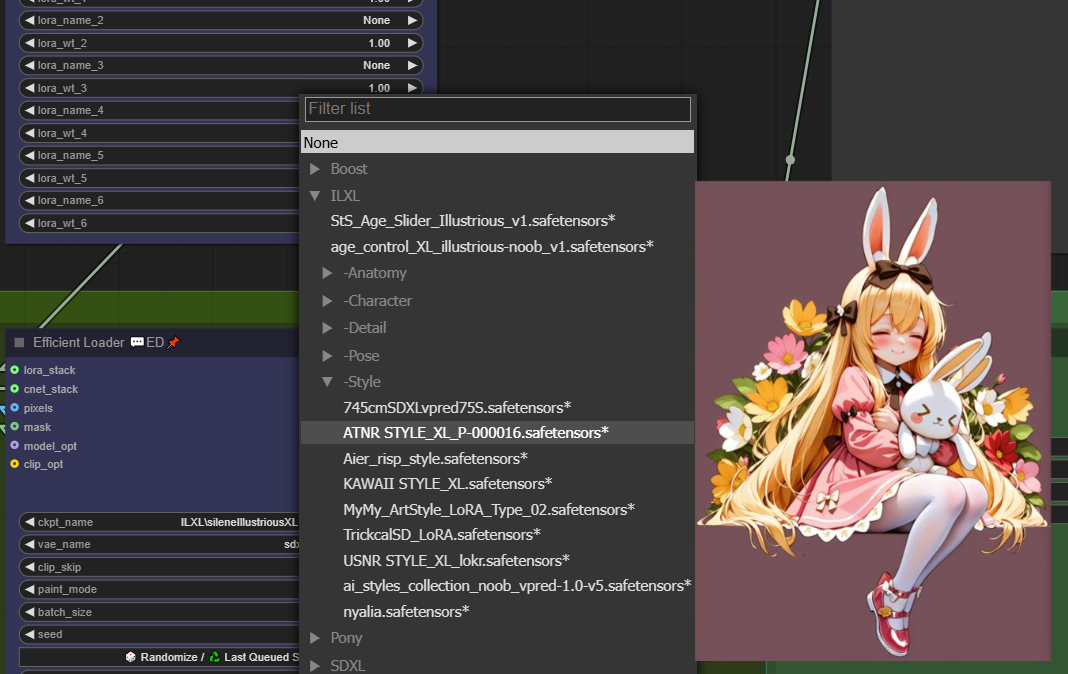
Efficient Loader 💬ED, LoRA Stacker 💬ED, and Embedding Stacker 💬ED display thumbnails when selecting models.
Click ℹ️ in the widget of the Efficient Loader 💬ED or LoRA Stacker 💬ED node.
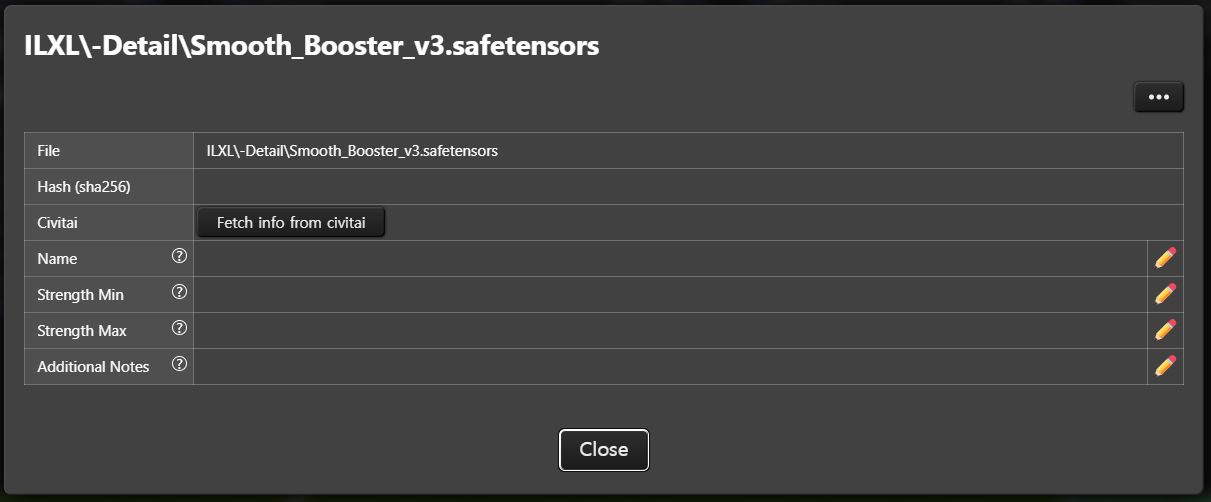
after fetch info from civitai click,
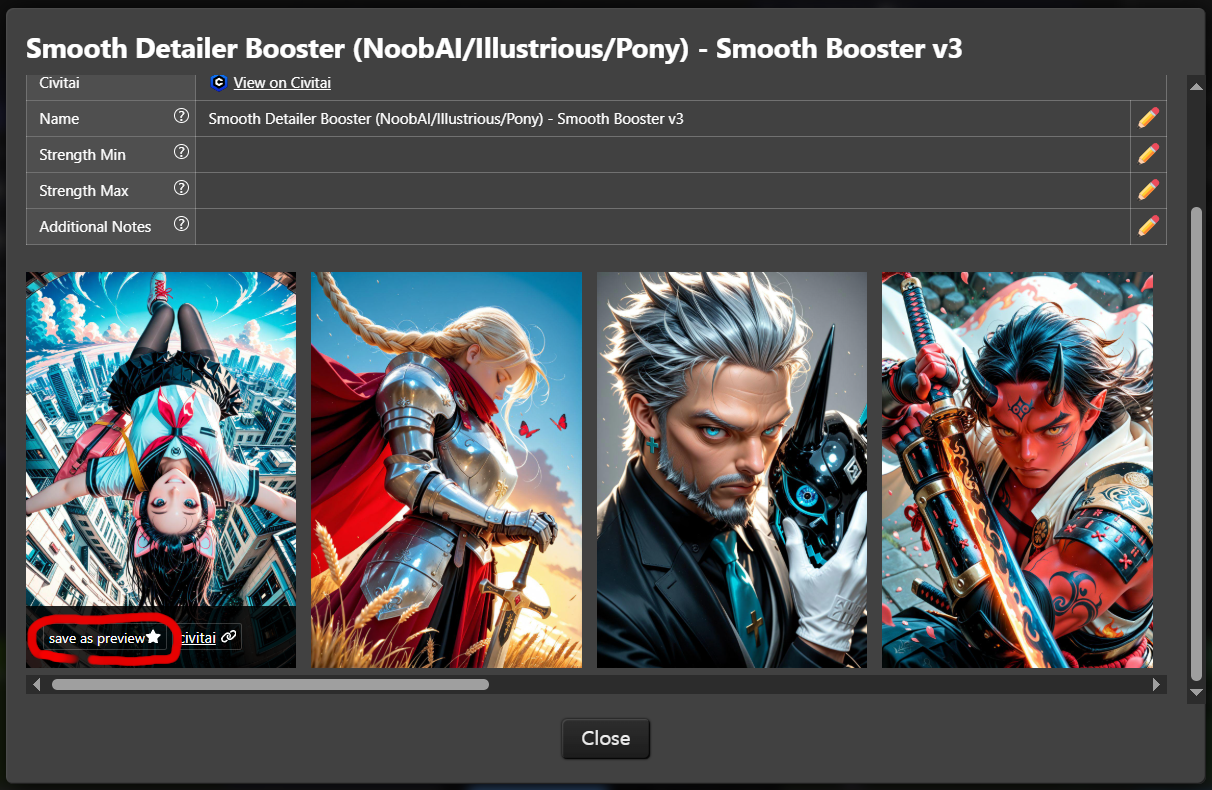
Click the Use as preview button at the bottom to save it. (You can also directly specify the MODEL FILENAME with .jpg or .png)
fetch info from civitai is clicked, the SHA and TXT files will be deleted.Efficiency Nodes 💬ED supports wildcards.
Select to add wildcard in Get booru Tag 💬ED to easily add wildcards.
ComfyUI\custom_nodes\comfyui-impact-pack\wildcards#, //, /* */.__wildcard__#ASC0 in the text_b field.
#ASCXX iterates upward from the specified number (stops at max).#DSCXX iterates downward from the specified number (stops at 0).(If unsure of the max, use #DSC1000 as a rough estimate.)
#FIXXX fixes the valueRegional prompts allow different prompts for specific areas. (Regional Workflow)

Requires installation of A8R8 ComfyUI Nodes.
Create empty image. This auto-fills dimensions in Efficient Loader 💬ED and loads an empty image into Load Image connected to Regional Script 💬ED.

(EXIF included)
Load Image connected to Regional Script 💬ED.Attach Control Net Stacker to Efficient Loader 💬ED to use ControlNet.
ControlNet and Regional Script can be used simultaneously.
url field of Get booru Tag 💬ED: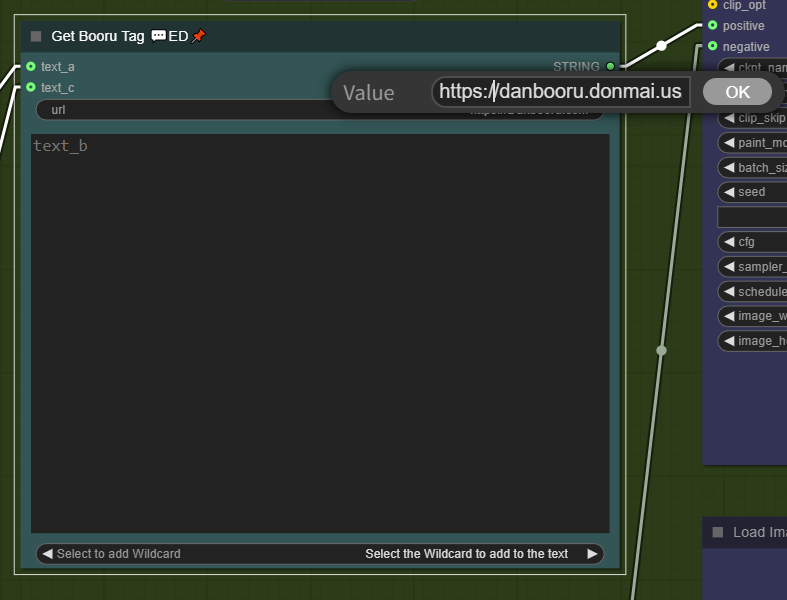
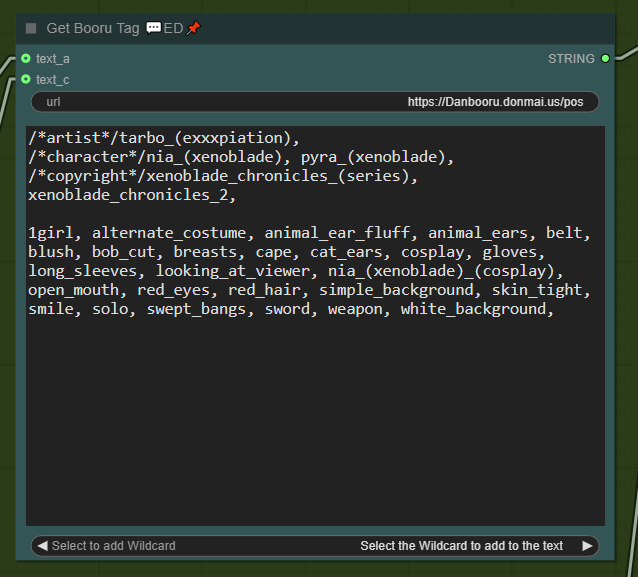
/* */):
Supported booru site:
Group tags by category widget in the Get booru Tag 💬ED node.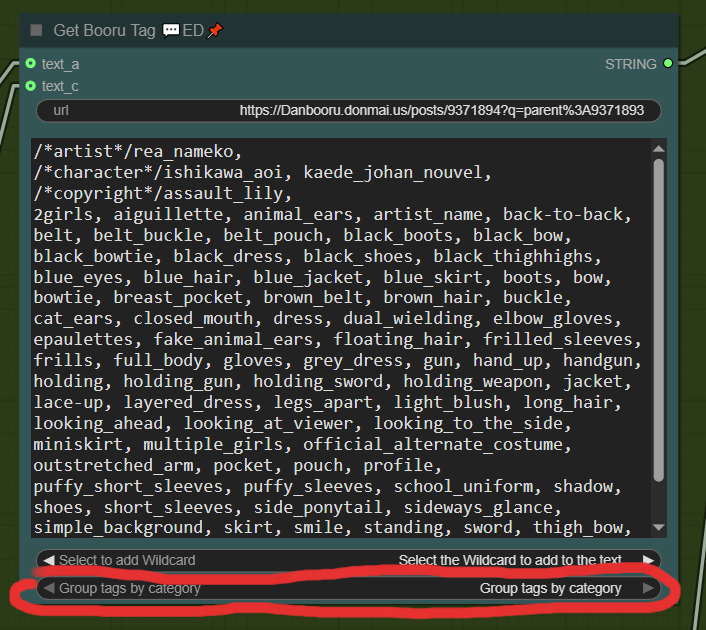
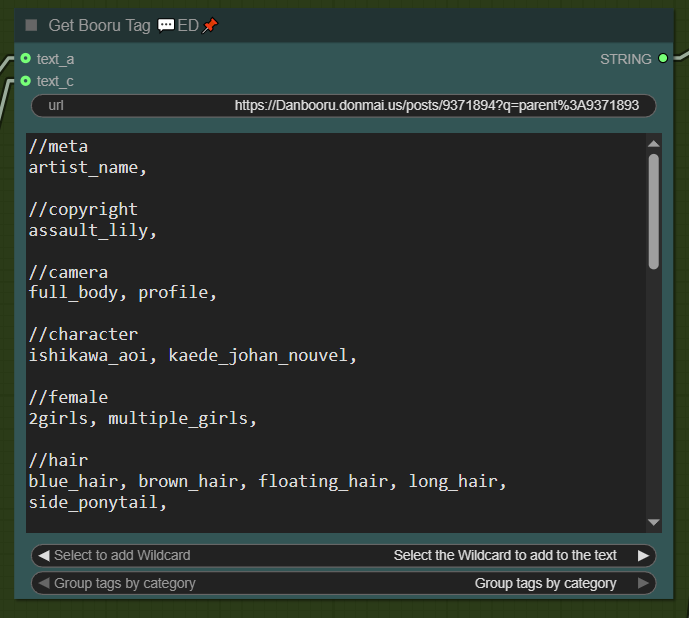
text_a and text_c are simply combined and output as text.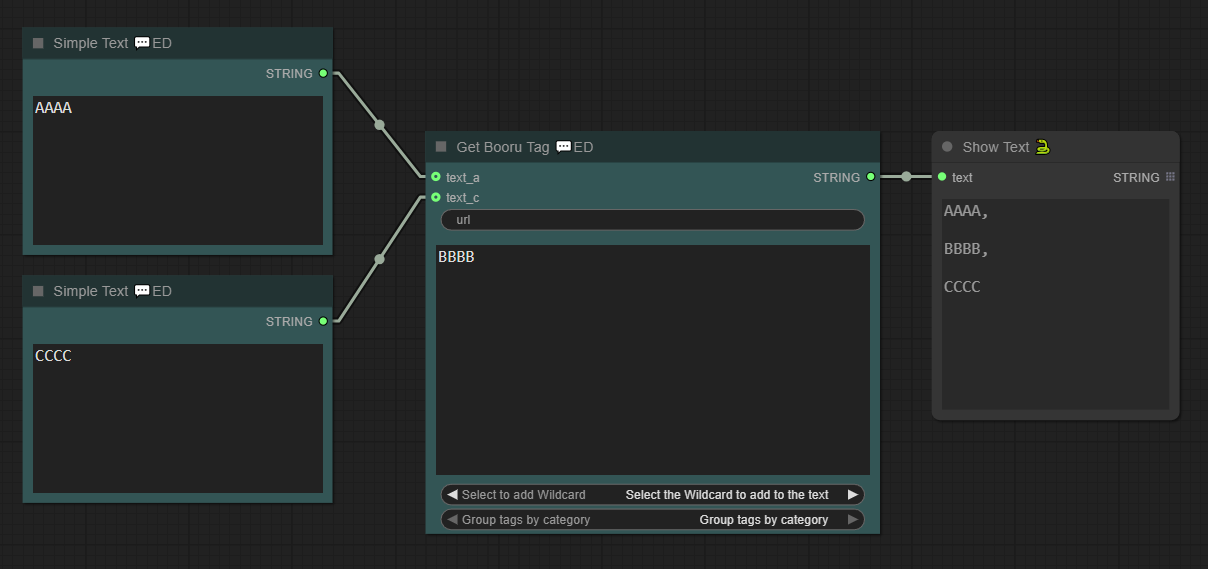
Nodes like KSampler (Efficient) 💬ED, FaceDetailer 💬ED, and Ultimate SD Upscale 💬ED include the set_seed_cfg_sampler widget.
Configure seed, cfg, sampler, and scheduler once in Efficient Loader 💬ED – no need to set them repeatedly.
from context: Uses settings from context output by Efficient Loader 💬ED.from node to ctx: Exports current node settings to context.from node only: Uses current node settings without saving to context.
XY plots help find optimal settings (e.g., for cfg or sampler).
KSampler (Efficient) 💬ED > Add script > XY plot.
ksampler_output_image to Plot.Right-click XY plot > Add X input > XY Input: Sampler/Scheduler
Right-click XY plot > Add Y input > XY Input: Sampler/Scheduler
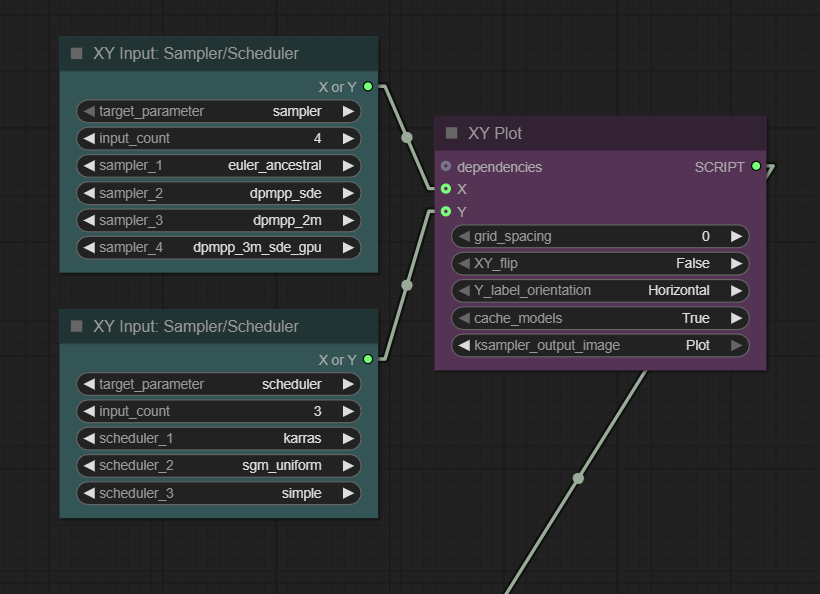
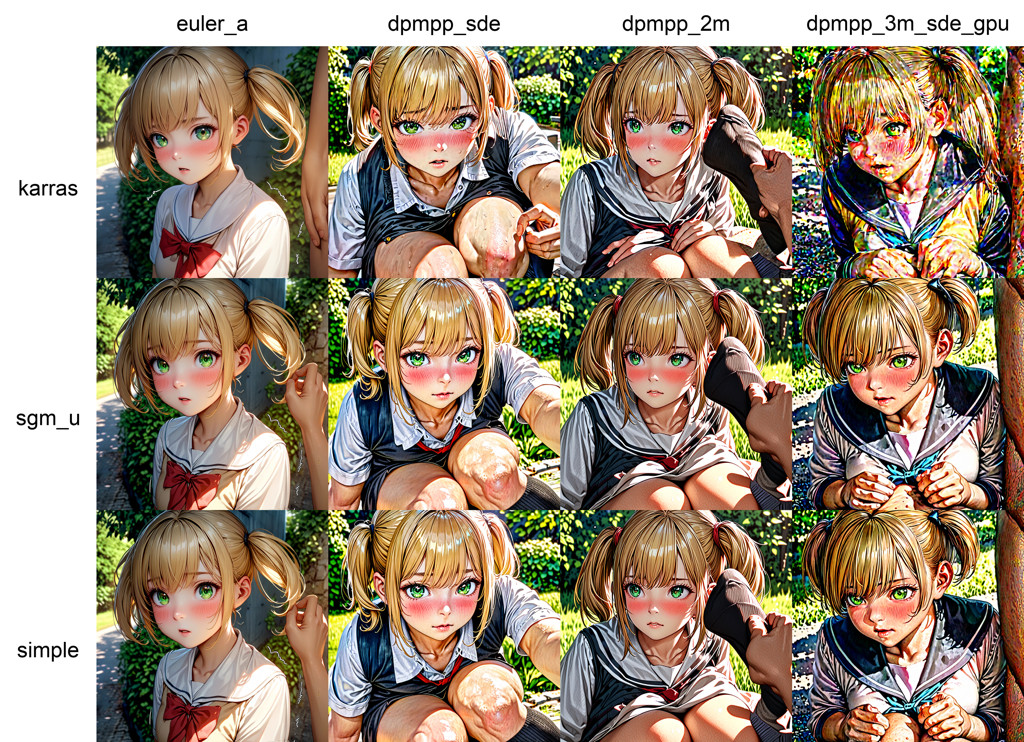
Adapted from KSampler (Advanced).
Ultimate SD Upscale 💬ED.Load Image 💬ED (with upscale_method and keep_proportions).(Setting keep_proportions to 2x automatically adjusts the width and height without needing to input them manually.)
KSampler (Efficient) 💬ED > Add script > Refiner Script 💬ED.Set steps, denoise, and start_at_step.
(This is an additional LoRA used during refining. If a different model is loaded, only this LoRA will be used. For example, if the character becomes distorted or the proportions look off after Hires Fix, using a LoRA like this one can help improve the result.)

(EXIF included)
Efficient Loader 💬ED
- Combines Load Checkpoint, CLIP Set Last Layer, Empty Latent Image, and Repeat Latent Batch into one node with enhanced functionality.
- Switch between
Txt2Img,Img2Img, andInpaintwith one click.
(Txt2Imgmode auto-sets denoise=1 in connected KSampler (Efficient) 💬ED.) Inpaint(MaskDetailer)mode: Uses Impact Pack’s MaskDetailer for better quality (avoids degradation)- Saves seed, cfg, sampler, and scheduler to
contextfor reuse in other nodes. - Click ℹ️ on the checkpoint to view the model information. (Run
fetch info from civitaifirst.)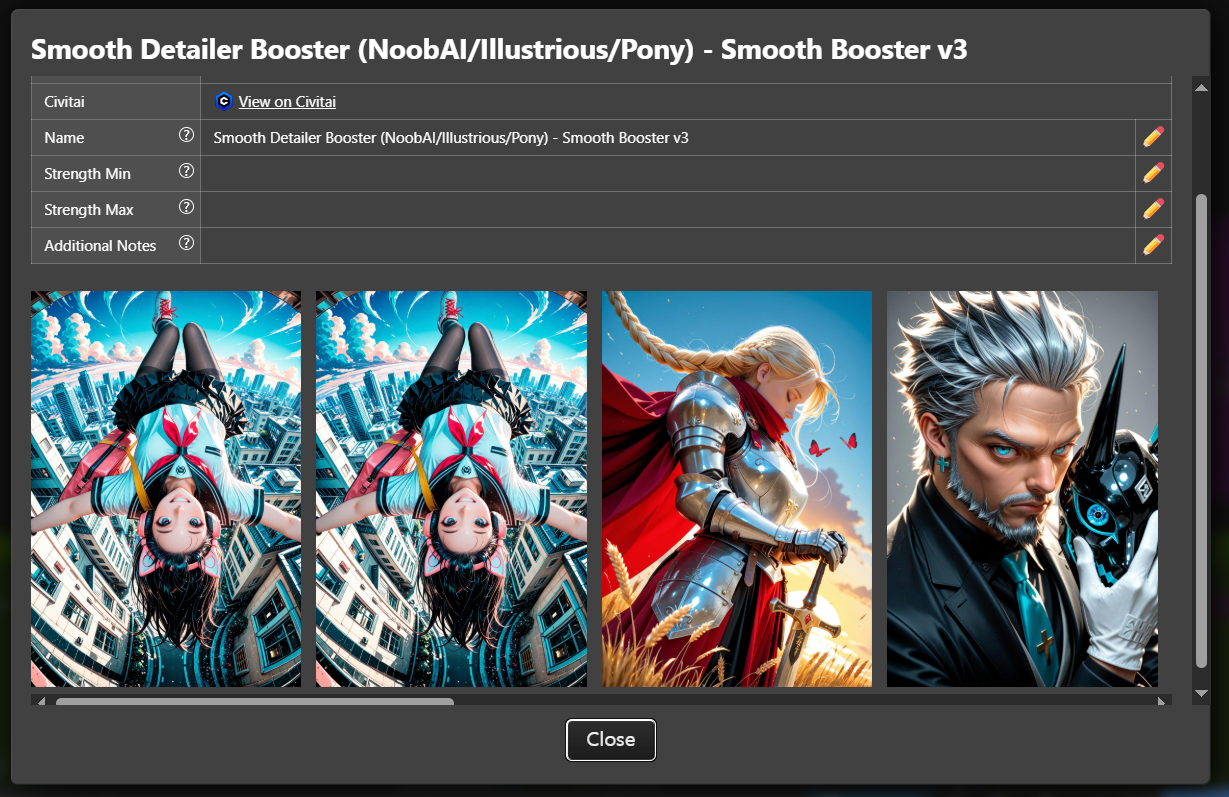
(When running
fetch info from civitai, large models may load slowly the first time while searching for the hash value. It is recommended to click “Use as preview” once during the initial run.) - Right-click menu:
📐 Aspect Ratio...Auto-fillsimage_width/image_heightwith preset ratios (◆ = recommended). - Tiled VAE Encoding
- In the Property Panel, setting
Use tiled VAE encodeto true enables the use of Tiled VAE - Supports
lora_stackandcnet_stackconnections. - In the Property Panel, you can configure the prompt encoding method using
Token normalizationandWeight interpretation. Use Latent Rebatch(default: true) splits batch processing for stability.Clip skip=0disables CLIP skip.
KSampler (Efficient) 💬ED
- Modified to accept
contextinput. Outputs sampled images toCONTEXTandOUTPUT_IMAGE;stepstoSTEPS_INT. - Tiled VAE Decode
- Enable
Use tiled VAE decodein Properties Panel for large images
Inpaint(MaskDetailer) Mode
- When you select Inpaint (MaskDetailer) mode in Efficient Loader 💬ED, the Efficient Sampler 💬ED switches to Mask Detailer mode.
- Integrates Impact Pack’s MaskDetailer for good quality.
- Can configure
drop size, cycle, inpaint model, noise mask featherin Properties Panel.
Load Image 💬ED
- Combines image loading and upscaling. Extracts prompt text from metadata.
- Upscale: Select method in
upscale_method, inputwidth/height. - You can upscale an image while preserving its aspect ratio using
keep_proportions. - Values like 1.5x, 2x, or 3x ignore the
widthandheightsettings and automatically adjust the dimensions according to the aspect ratio. based on widthkeeps the specifiedwidthand automatically adjusts the height according to the aspect ratio.- When the queue runs, the prompt and seed are displayed as shown below.
Save Image 🔔ED
- Modified Save Image node with
contextinput and audible notification. - Toggle sound in Properties Panel (Play sound, Sound Volume 0–1).
- To change the notification sound, replace the file at
efficiency-nodes-comfyui\js\assets\notify.mp3.
LoRA Stacker 💬ED
- Loads up to 9 LoRAs simultaneously.
- Folder-based submenus with previews
- Click the toggle button to turn individual LoRAs on or off.
- Click ℹ️ in the LoRA widget to conveniently find trigger words (Trained Words) as shown below.
Embedding Stacker 💬ED
- As a simple feature, Efficient Loader 💬ED appends embedding strings to the end of both positive and negative prompts.
- Works only with Efficient Loader 💬ED.
- Just like the LoRA Stacker, click ℹ️ in the selection window to view information.
Wildcard Encode 💬ED
- The node that handles wildcards when Efficient Loader 💬ED’s
Use Latent Rebatchis set to true. - It looks similar to the Context node and performs the same function.
- If you set
Turn on Apply Lorato true in the Properties Panel, you can delay the timing of Lora application.
(It was created to apply wildcards separately for each batch.)
TIPO Script 💬ED
- A modified version of the TIPO node that can accept
contextas an input. - This is a node that randomly creates prompts. For more details, refer to this link.
- To use this, you need to install z-tipo-extension.
Regional Stacker 💬ED, Regional Script 💬ED
- Nodes used for regional prompts.
- The
urlin Regional Script 💬ED functions the same as theurlin Get booru Tag 💬ED. It can get tags from Gelbooru or Danbooru. - Regional Script 💬ED supports wildcard input.
Refiner Script 💬ED
- A node that adds a refining process to the KSampler (Efficient) 💬ED node.
- By attaching a Load Checkpoint node, you can perform refining with a different model as shown below.
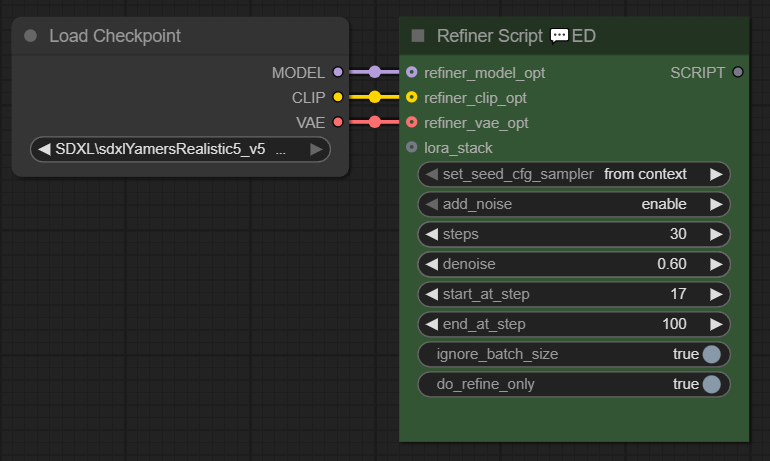
- Setting
ignore_batch_sizeto true means the operation runs only once, ignoringibatch_size. do_refine_onlyset to true means only refining is done; set to false means the image is sampled first, then refined.
Int Holder 💬ED
- A node that remembers the
stepsused when generating an image with KSampler (Efficient) 💬ED and stores it incontextwhen running Hires Fix. - If
stepsexists incontext, FaceDetailer 💬ED and Ultimate SD Upscale 💬ED will prioritize using it. - A node created to avoid the hassle of entering
stepsmanually each time.
FaceDetailer 💬ED
context as input.
MaskDetailer 💬ED
- MaskDetailer addon from Impact pack.
- A modified version that can accept
contextas input.
Detailer (SEGS) 💬ED
- Detailer (SEGS) addon from Impact pack.
- A modified version that can accept
contextas input.
Ultimate SD Upscale 💬ED
- Ultimate SD Upscale addon.
- A modified version that can accept
contextas input.
SUPIR 💬ED
- An addon for ComfyUI-SUPIR. While SUPIR excels at High-res Fix, it normally requires six nodes, but this addon reduces them to just two.
- SUPIR requires a dedicated model. For downloading the model and more details, refer to this link
- Installation of ComfyUI-SUPIR is required.
- Example video
Installation:
ComfyUI Impact Pack (Optional)
ComfyUI Impact Subpack (Optional)
ComfyUI-Custom-Scripts (Optional)
ComfyUI_UltimateSDUpscale (Optional)
rgthree-comfy (Absolutely Required!)
efficiency-nodes-comfyui (Absolutely Required!)
efficiency-nodes-ED (This Nodes)
ComfyUI-ImageGallery-ED (It’s more convenient when used together)
ComfyUI_BiRefNet_ll (Optional)
z-tipo-extension (Optional)
A8R8 ComfyUI Nodes (Optional)
Run ComfyUI\custom_nodes\efficiency-nodes-ED\start.bat
*How to fix errors*
steps in FaceDetailer 💬ED and Ultimate SD Upscale 💬ED gets fixed unexpectedly is caused by this node: Int Holder 💬ED.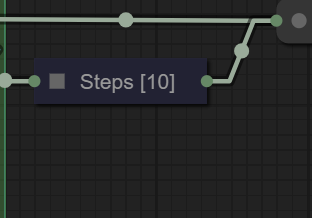
This node remembers the steps used when generating an image with Sampler (Efficient) 💬ED and stores it in context during Hires Fix. Since FaceDetailer 💬ED and Ultimate SD Upscale 💬ED prioritize using the steps stored in context, it avoids having to input steps manually every time.
If this behavior is unnecessary or if you want to input steps manually, simply mute this node (Ctrl+M) or delete it.
Known bug
…